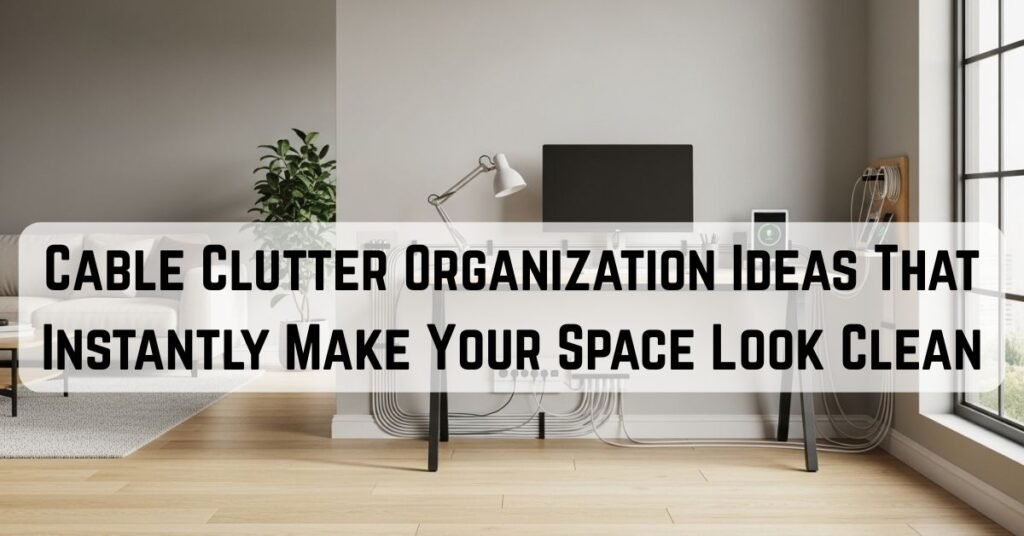
I used to clean my space, and I still feel like it looks messy.
Everything was in place. The table was clear. The floor looked fine. Nothing felt out of control.
But something still didn’t look right.
Then I noticed it.
Cables.
Running across surfaces. Hanging behind furniture. Tangled near outlets. They weren’t taking up much space, but they were ruining the entire look of the room.
That’s when I realized something simple:
Small things can create a big visual mess.
If you’re already working on small living room storage ideas, fixing cables is one of the fastest ways to make your space look instantly cleaner.
So I stopped trying to manage cables randomly and focused on proper cable clutter organization instead.
Not complicated systems. Not expensive tools. Just small changes that actually work in daily life.
Here are the ones that made the biggest difference for me.
Why Cable Clutter Makes Your Space Feel Messier Than It Is
Cables don’t seem like a big deal.
Until you notice how they affect everything.
They cut across clean lines. They hang where nothing else hangs. They draw attention without adding anything useful visually.
Even a well-decorated space can feel unfinished because of a few loose wires.
The tricky part is that cable clutter builds slowly.
You plug something in. You leave it there. Then another device joins. And suddenly, you have a small mess that spreads across the room.
Once I started fixing this, I noticed something interesting:
- The space looked cleaner instantly
- I didn’t need to change anything else
- and keeping it clean became easier
That’s when I understood:
This isn’t about hiding cables completely; it’s about controlling them properly.
10 Cable Clutter Organization Ideas That Instantly Make Your Space Look Clean
1. I Created a Cable Drop Zone Instead of Letting Wires Spread (So Clutter Stops at the Source)

My biggest problem wasn’t tangled cables; it was wandering cables.
Every time I unplugged something, I placed it somewhere temporary. And “temporary” quickly became permanent.
That’s how clutter spreads quietly.
So I created a single drop zone.
Not a complicated setup. Just one defined place where all loose cables go.
Now:
- unused chargers
- backup cables
- random wires I don’t need right now
…all land in one controlled spot.
Why this works better than random storage:
- It stops clutter from spreading in the first place
- It removes the “where should this go?” decision
- It creates a habit loop → unplug → drop → done
What made it actually stick:
I placed the drop zone close to where I unplug things, not somewhere “logically correct.”
Convenience beats logic every time.
This works similarly to drop zone storage ideas, where everything has one simple and consistent place.
Pro tip:
Don’t over-organize this space. If it becomes too structured, you’ll stop using it.
This isn’t about perfection; it’s about containment.
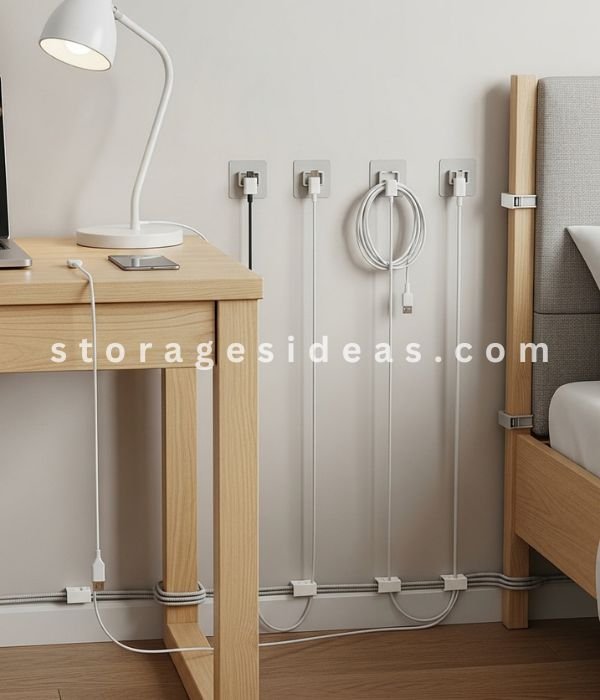
2. I Used Cable Clips to Lock Cables in Place (So They Stop Disappearing)
Few things are more annoying than a cable slipping behind furniture.
You reach for it, and it’s gone.
Then you either:
- ignore it
- or awkwardly reach behind everything
Neither is ideal.
Cable clips fixed this instantly.
I placed them exactly where I naturally reach for cables:
- desk edges
- bedside tables
- near wall outlets
Now cables stay exactly where I leave them.
Why this works long-term:
- It removes friction → no searching
- It keeps cables in predictable positions
- It prevents the “fall behind → forget → clutter builds” cycle
Small detail that made a big difference:
I didn’t install too many clips.
Too many clips = too much effort to place cables properly.
I use just enough to guide placement, not control it perfectly.
The goal is guidance, not restriction.
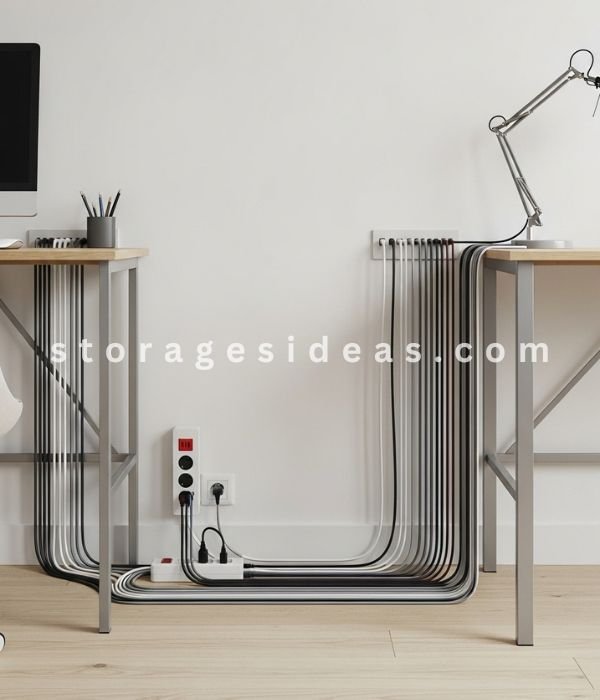
3. I Hid Power Strips First (Because They Create the Biggest Visual Mess)
When I looked at my space, I noticed something:
Most of the mess wasn’t from individual cables; it was from one spot.
The power strip.
Multiple plugs. Thick wires. Everything branching out from one messy hub.
So instead of fixing everything, I fixed that one thing first.
I placed the power strip inside a simple box.
That instantly removed:
- The thickest cables
- The visual “center of chaos.”
- The mess that draws the most attention
Why this works so effectively:
- It eliminates the largest source of visual clutter
- It simplifies everything else around it
- It makes the entire setup feel cleaner instantly
This is where cable clutter organization starts to show real results.
Fix the biggest problem first, and everything else becomes easier.
Pro tip:
Leave a little space inside the box.
Overstuffing it brings the mess back, just in a different form.
A basic understanding of how extension cords work can also help you manage cable setups more safely and efficiently.
4. I Labeled Cables to Remove Daily Friction (Not Just for Organization)
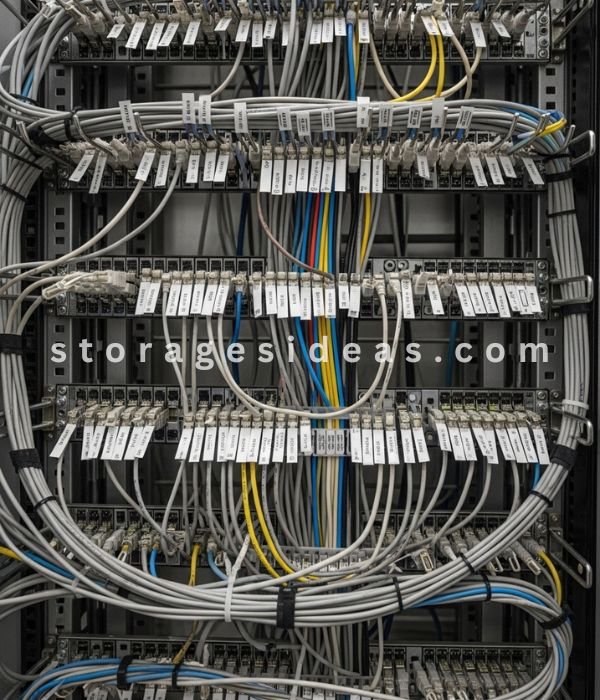
I used to think labeling cables was unnecessary.
Until I unplugged my Wi-Fi instead of my charger.
More than once.
That’s when I realized this isn’t about neatness, it’s about reducing small daily mistakes.
Now I label the cables I use often.
Nothing complicated:
- small tags
- Simple markers
- Even color coding works
What changed immediately:
- No second-guessing
- No unplugging the wrong device
- Faster adjustments
Why this works long-term:
- It removes micro-frustrations
- It saves time every day
- It makes your setup feel “in control.”
Small tip that makes it cleaner:
Keep labels minimal and subtle.
Big, loud labels create a different kind of visual clutter.
The goal is clarity, not attention.
5. I Bundled Cables to Turn Chaos Into One Clean Line
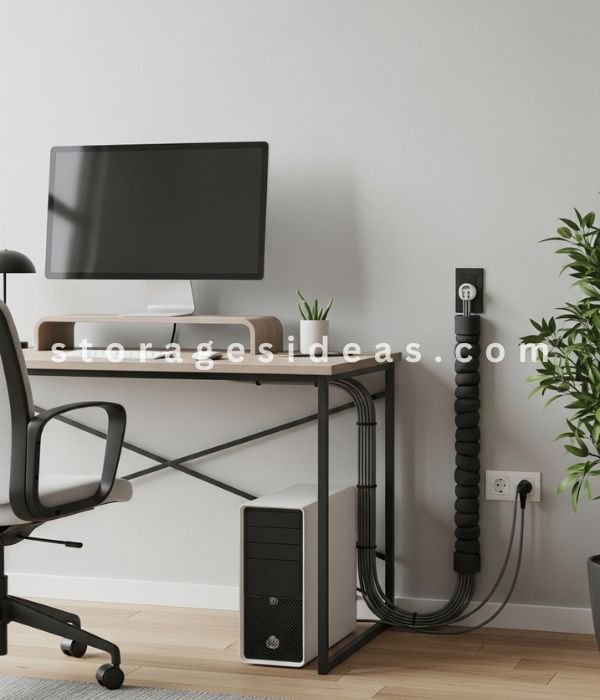
Loose cables don’t need to be tangled to look messy.
Even perfectly straight cables can feel chaotic if there are too many of them.
So I stopped thinking about cables individually and started grouping them.
Now I bundle related cables together.
Instead of:
- 5 separate lines
I get:
- 1 clean, controlled line
Why this works visually:
- Fewer lines = less visual noise
- Grouped cables feel intentional
- The space looks structured instead of random
What made this more effective:
I bundle based on function, not location.
For example:
- All desk-related cables together
- All charging cables together
This keeps things logical and easy to manage.
Pro tip:
Don’t tighten bundles too much.
If it’s hard to adjust later, you’ll avoid maintaining it.
Clean doesn’t mean rigid; it means controlled.
If you prefer simple systems, these lazy organization ideas follow the same low-effort approach.
6. I Moved Power Strips Off the Floor (So the Mess Stops at Eye Level)
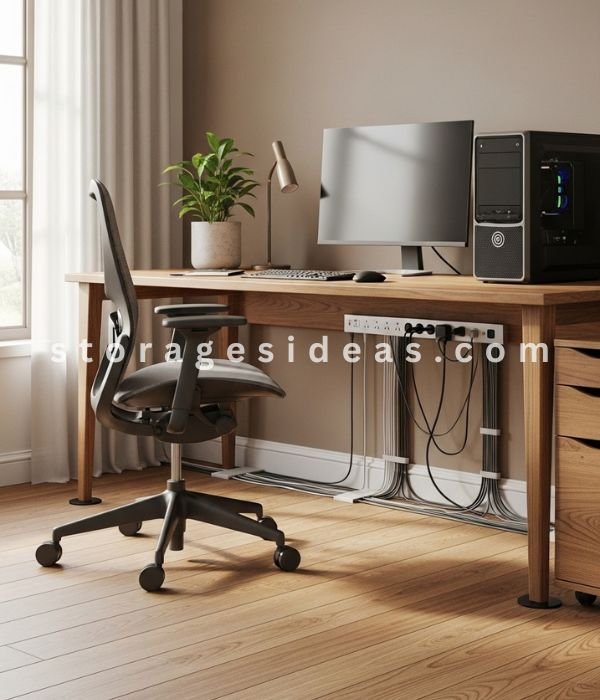
The floor is where cable clutter becomes impossible to ignore.
Once wires start spreading there, the whole room feels messy even if everything else is clean.
So I removed the problem from sight, but in a smart way.
I mounted my power strips:
- under my desk
- behind furniture
- along hidden edges
Now the cables don’t cross open space anymore.
Why this works better than just “hiding cables”:
- It removes clutter from your main visual field
- It keeps cables accessible (not buried)
- It prevents dust + cleaning issues
What made this actually work long-term:
I didn’t place it too far back.
If something is hard to reach, I’ll stop using it properly.
So I keep it hidden but reachable in one motion.
Pro tip:
Mount it slightly toward the front underside, not deep behind.
Hidden ≠ inconvenience.
This idea cleans up the entire room’s feel, not just one spot.
7. I Used a Decorative Box to Turn a Messy Charging Area Into a Clean Setup

Charging areas are naturally chaotic.
Multiple devices. Different cables. Constant plugging and unplugging.
Trying to keep it “perfect” never worked for me.
So I stopped trying to make it look clean and started hiding it smartly.
I placed everything inside a decorative box with small openings.
Now:
- Cables stay contained
- Devices charge normally
- The mess is no longer visible
Why this works:
- It turns active clutter into controlled clutter
- It blends with decor instead of fighting it
- It removes the pressure to keep things perfect
What most people get wrong:
They use a box that’s too small.
That creates tension—cables bend awkwardly, and everything feels cramped.
I use a slightly larger box so everything sits naturally.
Micro tip:
Choose a box that matches nearby furniture tones.
If it blends in, it disappears visually.
This is one of the easiest ways to make a space look cleaner without changing behavior.
8. I Shortened Cables So They Stop Taking Over the Space
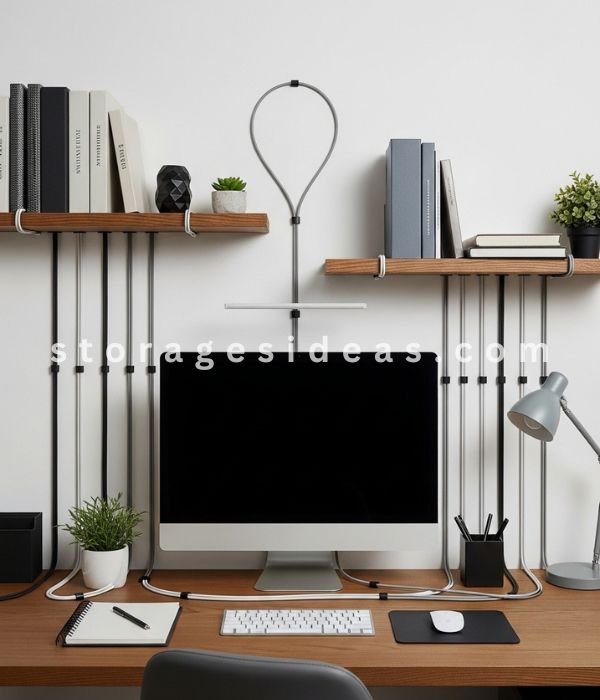
Cable length is an invisible problem.
You don’t notice it at first, but extra length creates loops, overlaps, and a visual mess.
Most cables are longer than we actually need.
So I started controlling the length.
I wrap the extra portion neatly and keep only the usable part visible.
What changed:
- cables stopped stretching across surfaces
- fewer overlaps = cleaner look
- The setup felt more intentional.
Why this works visually:
Long cables create randomness.
Shortened cables create structure.
What made this easier to maintain:
I don’t aim for perfect wrapping.
I keep it loose and adjustable.
If it’s too tight, I won’t redo it when needed.
Pro tip:
Hide the wrapped portion behind furniture or under surfaces.
Visible loops bring the clutter back.
You don’t need fewer cables; you need less visible length.
9. I Routed Cables Along Edges So They Blend Into the Space

This was a small change, but one of the most powerful visually.
Before, cables cut across open areas:
- across the desk
- across the wall
- across empty space
That’s what made them stand out.
So I started guiding them along the structure:
- furniture edges
- wall lines
- corners and seams
Now they follow the natural lines of the room.
Why this works:
- Your eyes follow structure, not distractions
- Cables become part of the background
- The space feels cleaner without hiding everything
Key detail that made this effective:
I don’t try to make cables invisible.
I just make them predictable.
Predictable lines feel organized. Random lines feel messy.
Micro tip:
Use neutral-colored clips or guides that match your furniture.
Contrast makes cables stand out again.
This is about visual alignment, not just organization.
10. I Created One Charging Station (So Cables Stop Spreading Everywhere)
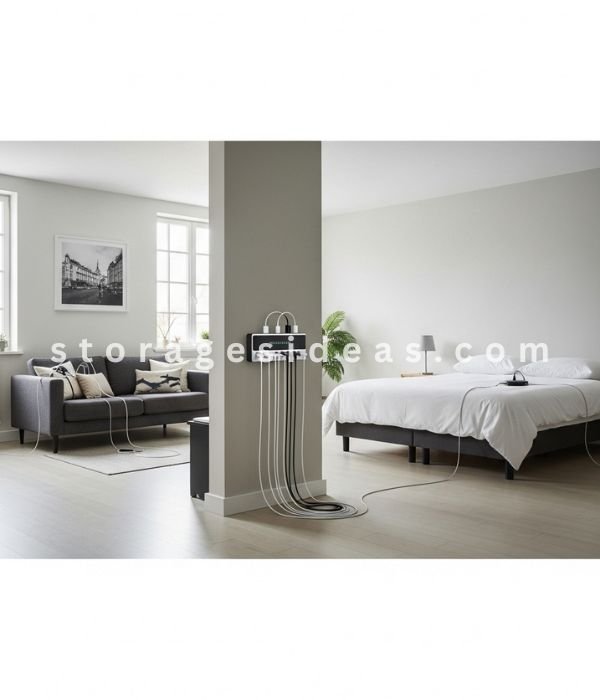
Before this, I charged devices wherever I felt like it.
Desk. Bed. Couch. Random outlets.
That created multiple cable zones and constant clutter.
So I reduced everything to one place.
One charging station.
Now all devices go there:
- phone
- tablet
- accessories
Why this works better than multiple setups:
- It centralizes cable use
- It prevents duplication (fewer cables needed)
- It creates a predictable habit
What changed for me:
- fewer cables around the room
- less visual noise
- easier daily routine
Important detail:
I placed the station where I naturally end my day, not where it “looks best.”
Because if the location is wrong, I won’t use it.
Pro tip:
Keep it close to a wall or corner so cables don’t extend into open space.
This isn’t just an organization; it’s behavior design.
What Actually Makes Cable Clutter Organization Systems Work Long-Term
I tried a few setups that looked clean on day one but failed after a week.
Not because they were bad ideas.
Because they didn’t match how I actually live.
That’s when I stopped focusing on “perfect setups” and started focusing on repeatable systems.
Here’s what actually made everything stick:
I Build Systems Around Real Behavior (Not Ideal Habits)
I don’t organize perfectly every day.
Sometimes I’m in a rush. Sometimes I’m tired. Sometimes I just don’t care.
So I stopped designing systems for my “best version” and started designing for my default behavior.
- cables drop, not placed things carefully, get used quickly, not neatly,
- convenience matters more than precision
If a system works when I’m lazy, it will always work.
I Eliminate Friction Wherever Possible
Every extra step reduces consistency.
If I have to:
- unwrap something perfectly
- open multiple layers
- reach too far
…I’ll avoid it.
So I test everything with one rule:
Can I use this in one simple motion?
If not, I simplify it.
Because the easier it is, the more likely it is to last.
I Control Visual Noise, Not Just Physical Mess
This was a big shift for me.
A space can be technically organized and still feel messy.
That usually comes from:
- too many visible lines
- too many directions
- too many small elements competing visually
So I focus on reducing visual noise:
- fewer visible cables
- cleaner lines
- grouped elements
That’s what makes the space feel clean, not just look organized.
I Use Fewer Systems, Not More
At one point, I tried multiple solutions in one area.
Clips, boxes, ties, holders, everything at once.
It looked overdone. And it was harder to maintain.
Now I keep it simple:
- one method per area
- one purpose per setup
This makes everything easier to follow and maintain.
I Leave Space Unused on Purpose
This sounds small, but it changes everything.
When storage is packed tightly, it quickly becomes messy again.
So I leave space:
- inside boxes
- inside cable areas
- between grouped wires
That breathing room keeps everything looking clean even when it’s in use.
Final Thoughts
I didn’t expect cables to have this much impact on my space.
They’re small. Easy to ignore. Easy to postpone.
But once I fixed them, everything changed.
The room felt calmer. Cleaner. More intentional without adding anything new.
That’s the part I didn’t expect.
I didn’t need more storage.
I didn’t need a full reset.
I just needed better cable clutter organization.
If your space still feels slightly messy, no matter how much you clean, this might be the missing piece.
Start with one idea.
If you want to go further, these clutter-free living room ideas can help you clean up the rest of your space.
Not all ten. Just one.
Because once you control the cables, everything else starts to fall into place.
FAQ Section
How do I organize cable clutter at home?
The easiest way to organize cables is to give them a fixed place and reduce the number of cables that are visible. Start by grouping cables by use, then use simple tools like clips, ties, or boxes to keep them controlled. Focus on easy access so the system stays consistent.
What is the simplest way to hide cables?
The simplest method is to hide power strips and excess cable length first. Use a cable box or place them behind furniture. This removes the most noticeable clutter without changing your setup too much.
How do I keep cables from getting tangled?
Bundle related cables together using reusable ties and avoid letting them run separately. Keeping cables grouped reduces tangling and makes them easier to manage over time.
Where should I place charging cables to avoid clutter?
Keep all charging cables in one dedicated spot. A single charging station prevents cables from spreading across different areas and makes daily use more organized.
Do I need expensive tools for cable organization?
No. Most cable organizations can be done with simple and affordable items like clips, ties, or small boxes. The system matters more than the tools.