
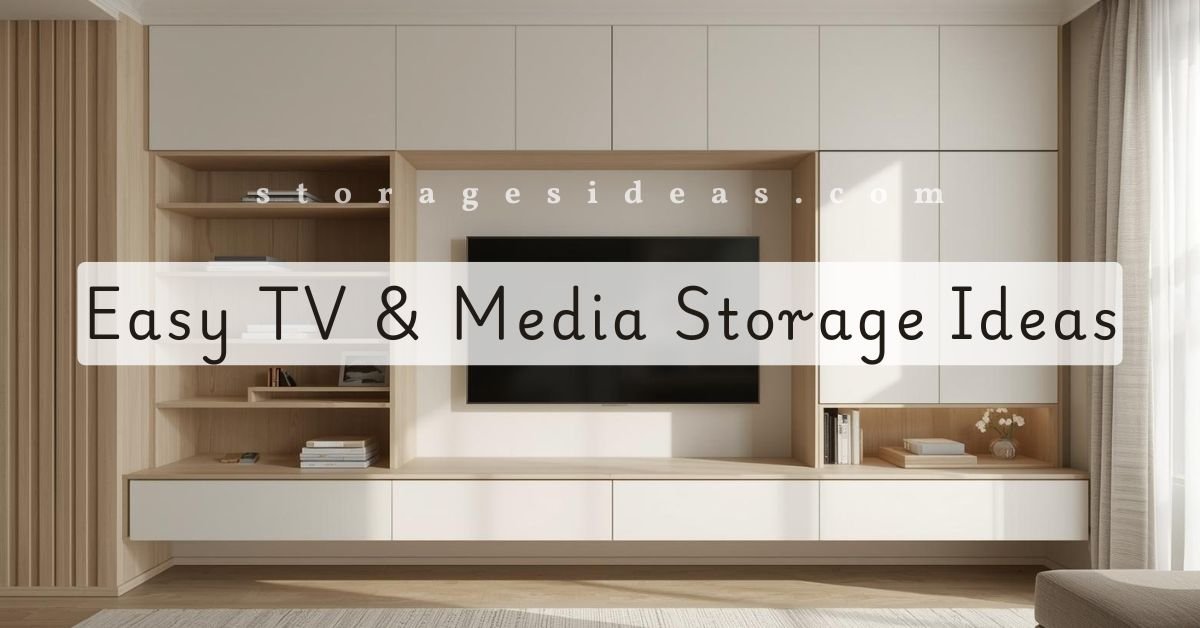
The TV area is one of the busiest spots in any living room. It’s where the remotes pile up, where gaming gear goes missing, and where cables somehow multiply overnight. Before I figured out how to create proper TV and media storage, this part of my home constantly felt messy, even on days when everything else was clean.
The truth is, the TV wall attracts clutter because it involves so many devices. Consoles, Wi-Fi equipment, speakers, chargers, streaming boxes, it all adds up fast. With the right storage setups, though, I learned how to keep everything organized without giving up style or space.
Here are the ideas and solutions that helped me keep my TV area neat, functional, and easy to manage on regular days, not just on deep-clean days.
Why TV and Media Storage Matters More Than It Seems
Most of us treat the TV wall as a simple entertainment area, but it’s actually one of the biggest visual anchors in the room. When this spot looks cluttered, the whole living room looks chaotic. That’s why intentional storage around the TV makes such a big difference.
I used to make a few classic mistakes:
- Letting remotes and controllers float around the room
- Ignoring cable mess
- Keeping devices I rarely use
- Using furniture that didn’t fit the space
Once I fixed these things, the living room looked calmer even before cleaning anything else.
Good TV and media storage isn’t just about hiding stuff. It’s about making the whole room easier to use.
Floating TV Units That Keep Floors Clear
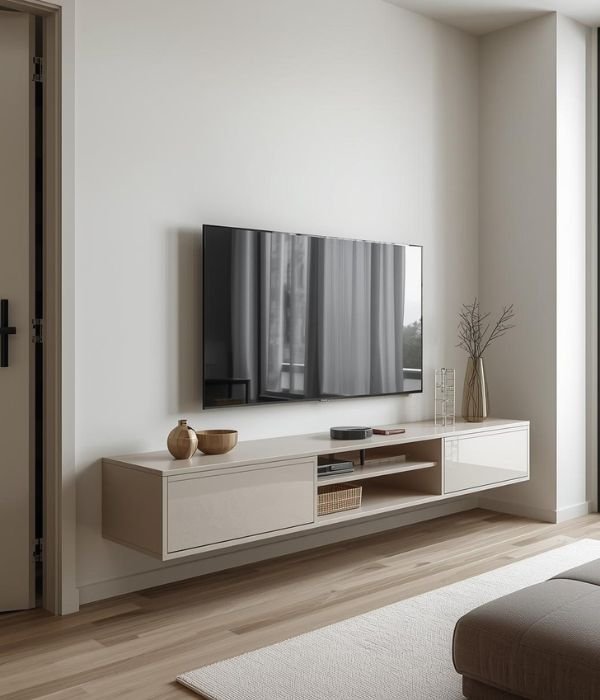
Floating TV units quickly became one of my favorite solutions. Because they’re wall-mounted, they free up floor space, which makes the living room feel more open. They also give me space underneath for baskets or small accessories if needed.
These units work especially well in small rooms because they:
- Reduce visual bulk
- Make cleaning easier
- Keep cables off the floor.
Inside the unit, I usually store:
- Streaming boxes
- Extra remotes
- Game controllers
- Chargers
Closed compartments keep everything out of sight, while open shelves are great for speakers or decorative pieces.
When mounting a TV or placing a heavy console, I also follow basic safety recommendations from the Consumer Product Safety Commission. Stability matters just as much as storage.
Floating units also make cable management simpler because the cords can run directly into the wall or down through a hidden channel.
Media Consoles With Closed Storage
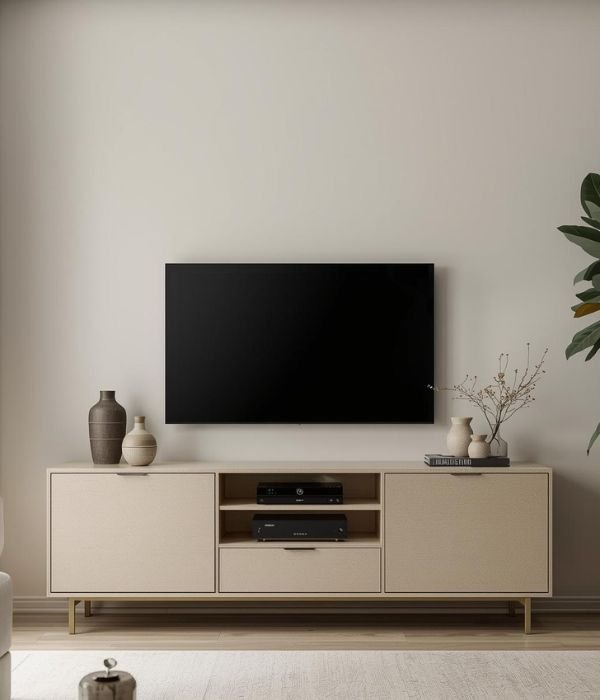
A good media console is one of the easiest ways to control clutter. I used to choose consoles based on style alone, but now I look for storage-first features. A clean front with cabinets or drawers instantly makes the TV area look organized, even when the inside is holding a small storm of gadgets.
Consoles with closed doors are perfect for:
- DVDs and games
- Router and modem
- Chargers and small tech items
- Extra cables
If airflow is a concern for gaming devices, I go with mesh-front doors. They hide the messy parts while letting everything breathe.
The biggest advantage of a closed console is that you don’t have to constantly fix or restyle it. When life gets busy, it still looks neat from the outside.
Built-In TV & Media Walls
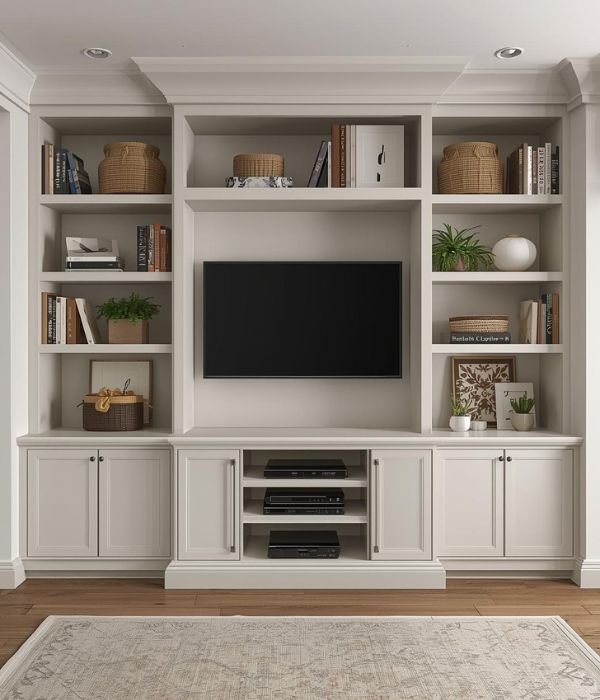
Built-ins aren’t just for luxury homes. Even basic built-in setups can transform the TV wall into a structured, clutter-free zone. Mine includes a mix of tall shelves, side cabinets, and a low center console. It sounds complex, but the structure makes the whole living room feel intentional.
Benefits of built-in TV & media walls:
- They maximize vertical space
- They balance the TV against the wall.
- They combine open and closed storage.
- They reduce the need for extra furniture.
To avoid the built-ins feeling too heavy, I mix decor with practical storage. Books, a few baskets, and some plants soften the area, while cabinets below hold the messy parts I don’t want visible.
Built-ins are especially good for homes where storage is limited. They turn the entire wall into a functional unit.
Using Alcoves for TV and Media Storage
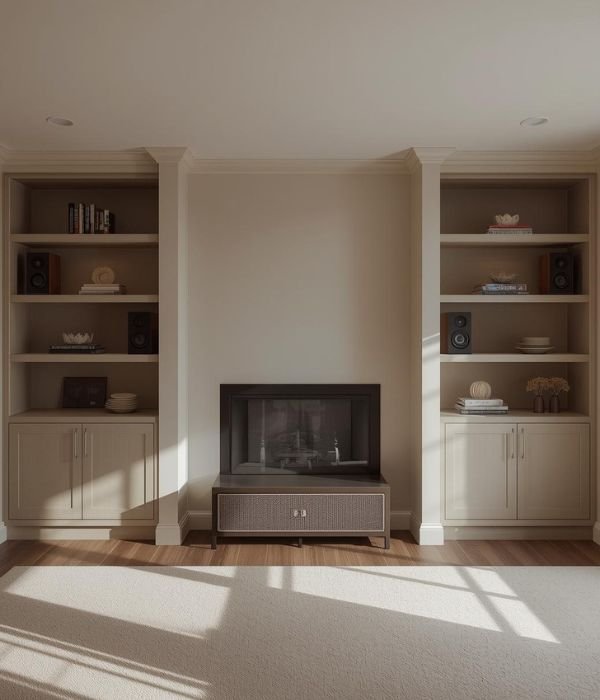
If alcoves exist in the living room, they’re one of the best places to put media storage. I’ve fit consoles into alcoves, added shelves for speakers, and even used them for game equipment.
Alcove layouts work well because:
- They create natural boundaries
- They prevent the TV area from feeling too wide.
- They help organize vertical and horizontal space.
Shallow alcoves work best with slim consoles or floating shelves. Wider alcoves can hold full storage units or hybrid systems with cabinets below and open shelves above.
If there’s a fireplace between the alcoves, storage becomes even more helpful because it frames the room and keeps the area symmetrical.
Slim Storage for Small Living Rooms
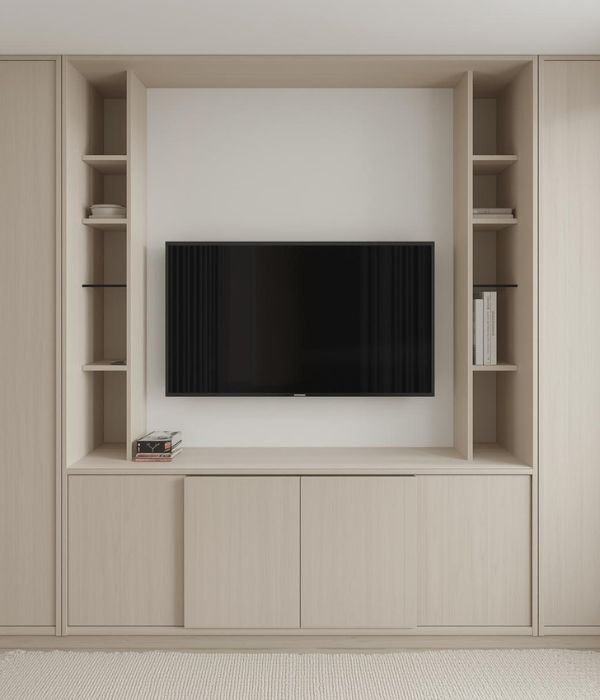
In small living rooms, bulky storage around the TV can make the space feel even tighter. That’s why slim storage options are essential.
Here are things that worked well for me:
- Narrow consoles
- Wall-mounted shelves instead of deep units
- Sliding doors instead of swing-out doors
- Slim drawer towers for accessories
When space is tight, many of the ideas used in corner storage ideas also help. Slim designs create breathing room and prevent the TV wall from overwhelming the space.
Even switching from a standard-depth console to a slim one can change how open the room feels.
Hiding Media Equipment Without Losing Function
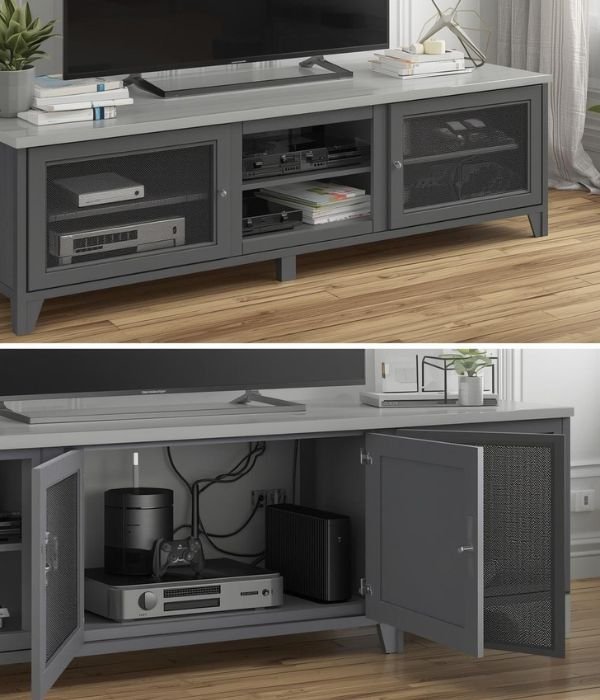
I love clean lines, but I also want everything to work smoothly. Hiding equipment can be tricky because remotes, airflow, and signal reception still matter.
This is how I hide media gear without hurting performance:
- Mesh-front cabinets for consoles and routers
- IR repeaters so the remote still works with closed doors.
- Vent cutouts in the back panel
- Openings for cord flow so cables don’t bunch up
Hiding equipment also helps reduce visual clutter. Even a few exposed devices can make the TV wall feel busy, so having clean cabinet doors makes a big difference.
Cable Management That Actually Works
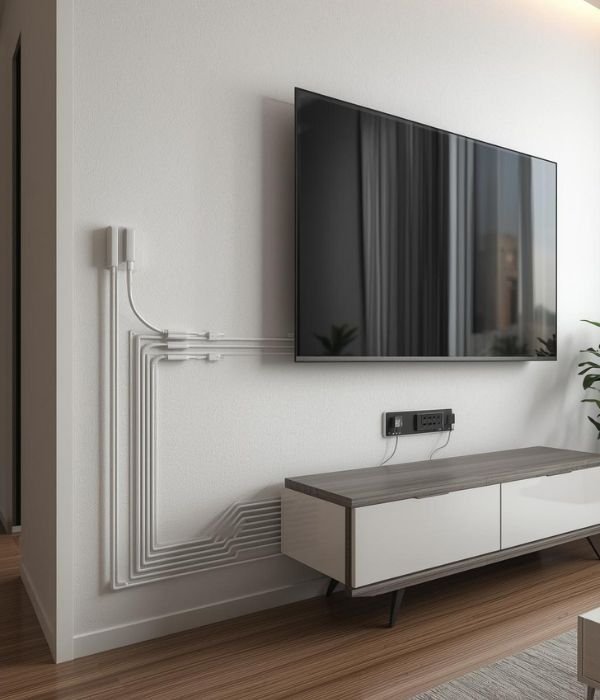
Cables were the biggest source of frustration for me. One loose cord always turns into five, and before long, the whole area looks like a spiderweb. Once I started using the right cable tools, the TV area became noticeably cleaner.
My go-to cable solutions:
- Cable sleeves for bundles
- Adhesive cord clips
- Wall cord channels
- Mounted power strips
- Labelled cable ends
Mounting the power strip inside or behind the console keeps everything off the floor. Labeling cable ends also saves time during resets or upgrades.
Cable management is one of the quickest ways to make the TV area look instantly cleaner.
Using Baskets & Bins for Daily Items
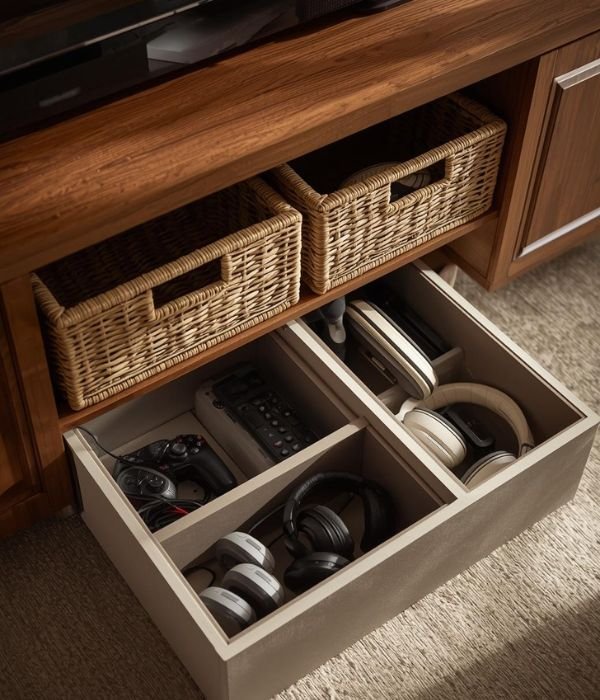
Even with cabinets and shelves, some smaller items need daily access. This is where baskets and bins make life easier. I use them for:
- Remotes
- Game controllers
- Headphones
- Charging cables
- Small tech accessories
TV areas collect small items fast, so using baskets alongside simple storage ideas for small items keeps clutter contained without effort.
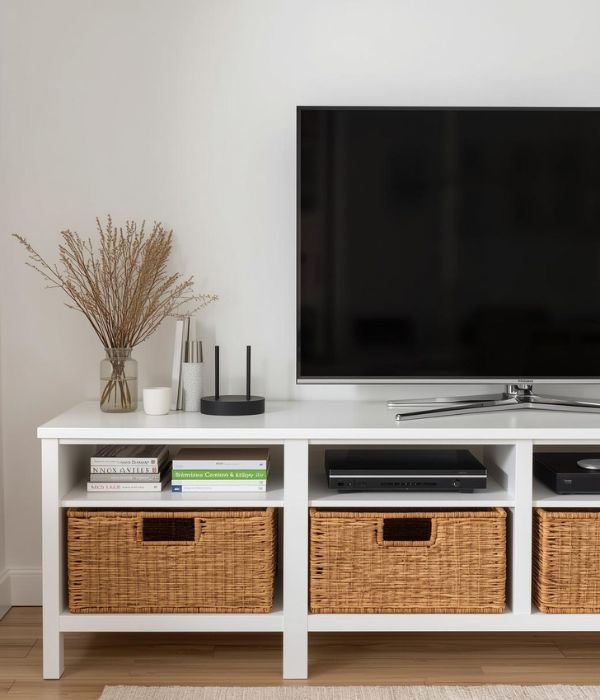
Woven baskets look warm, while solid bins work better if I want things completely hidden. Media items tend to spread fast, so giving each type its own container keeps the entire area under control.
Renter-Friendly TV and Media Storage Ideas
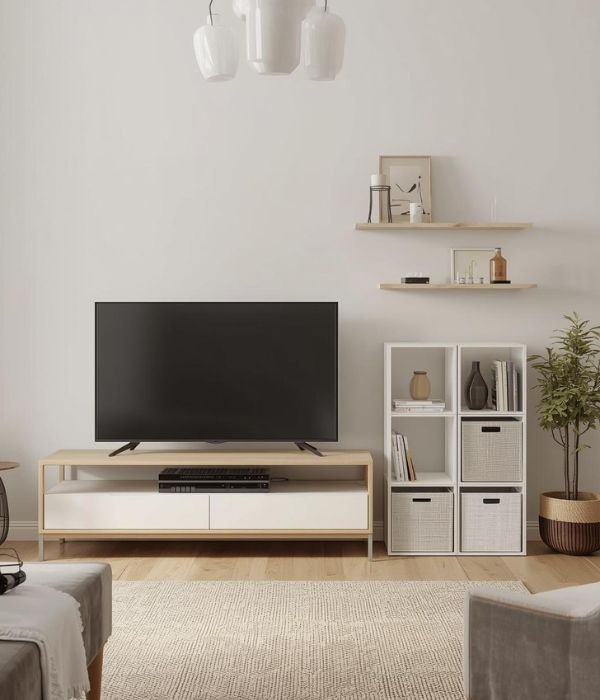
Renters often face limitations, especially if drilling into walls isn’t allowed. Thankfully, there are plenty of storage solutions that work without damage.
Renter-friendly options include:
- Freestanding low consoles
- No-drill floating shelves with adhesive brackets.
- Slim bookcases placed next to the TV
- Modular storage cubes
I lean toward modular units because they can be rearranged and reused in a new home. Nothing feels wasted.
Even without built-ins, renters can create clean, functional TV storage with smart placement and lightweight furniture.
Family-Friendly TV and Media Storage
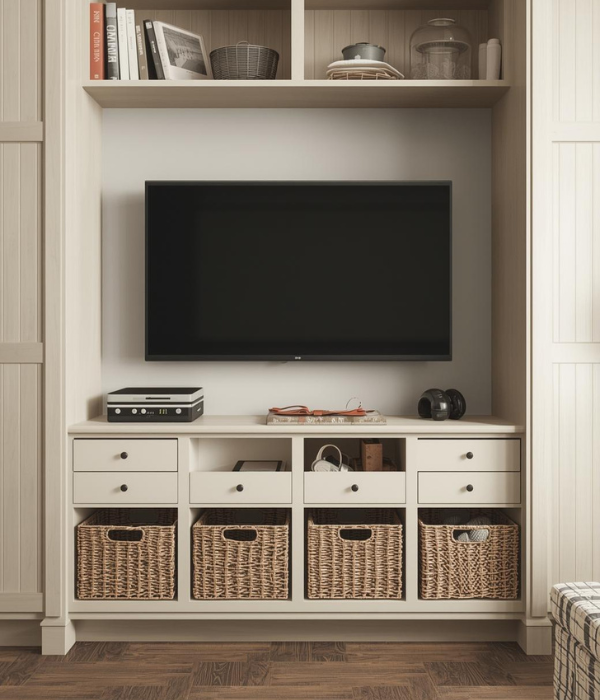
Families need storage that’s sturdy and easy to access. Kids’ items can easily overwhelm the living room if they don’t have a designated spot.
What works well for families:
- Deep drawers for games and controllers
- Soft-close cabinets
- Low baskets kids can reach
- Clear containers for sorting
The key is making storage easy enough for kids to use on their own. If they can put items back without help, the TV area stays tidy longer.
DIY TV and Media Storage Ideas
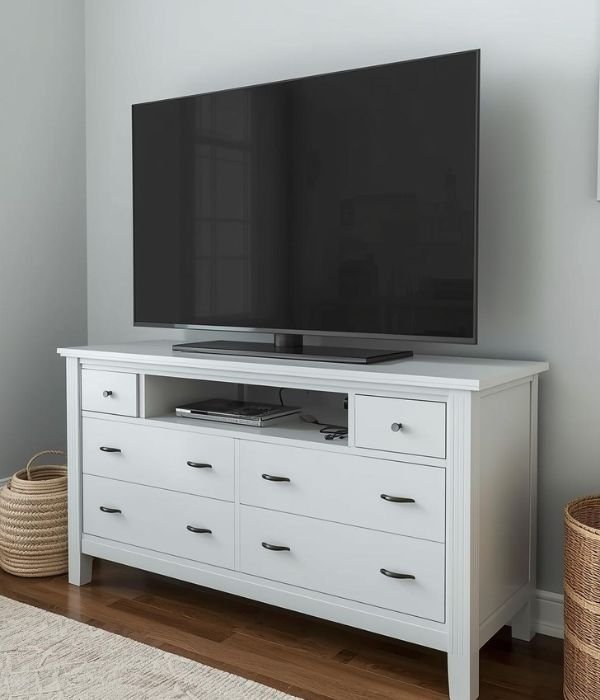
DIY solutions are great when I need something custom or budget-friendly. TV storage doesn’t have to be complicated. Simple adjustments can make a big difference.
My favorite DIY options:
- Adding custom-fit shelves
- Repurposing a dresser into a media console
- Painting a unit to match the wall
- Adding cord holes to existing cabinets
A DIY project doesn’t need to be perfect. It just needs to improve its function and blend into the space.
If you enjoy small projects, adapting a DIY living room storage cabinet can turn it into a perfect media unit for your space.
How I Keep TV and Media Storage Organized Long-Term
Even with the best system, TV areas need occasional maintenance. My routine is simple and takes less than 10 minutes.
Every month, I:
- Remove items that don’t belong
- Test cables and replace worn ones
- Rearrange baskets
- Recycle empty boxes or outdated tech.
I also check drawers for old chargers and mystery cables — they multiply quickly if left alone.
Small resets prevent the TV area from becoming overwhelming again.
FAQs About TV and Media Storage
What’s the best way to hide cables?
Cable sleeves, wall channels, and mounted power strips work well.
How deep should a TV console be?
Shallow consoles (12–16 inches) work for most small rooms.
How do I store media equipment in a small space?
Slim cabinets, shelves, and floating units help maximize vertical space.
Should I get open or closed media storage?
A mix of both usually gives the best balance.
Are floating units good for small living rooms?
Yes. They save floor space and make the room feel lighter.
Final Thoughts: Making TV and Media Storage Work for Real Life
A clean TV area doesn’t require expensive furniture or a full renovation. Once I learned how to combine simple storage with smart cable solutions, the entire living room felt calmer. Good TV and media storage make daily life easier, not just tidier.
When everything has a place and cables stay controlled, the TV wall becomes something I enjoy looking at, not something I feel the need to hide.
Functional storage, a few baskets, and thoughtful equipment placement go a long way toward keeping clutter under control every day.
