
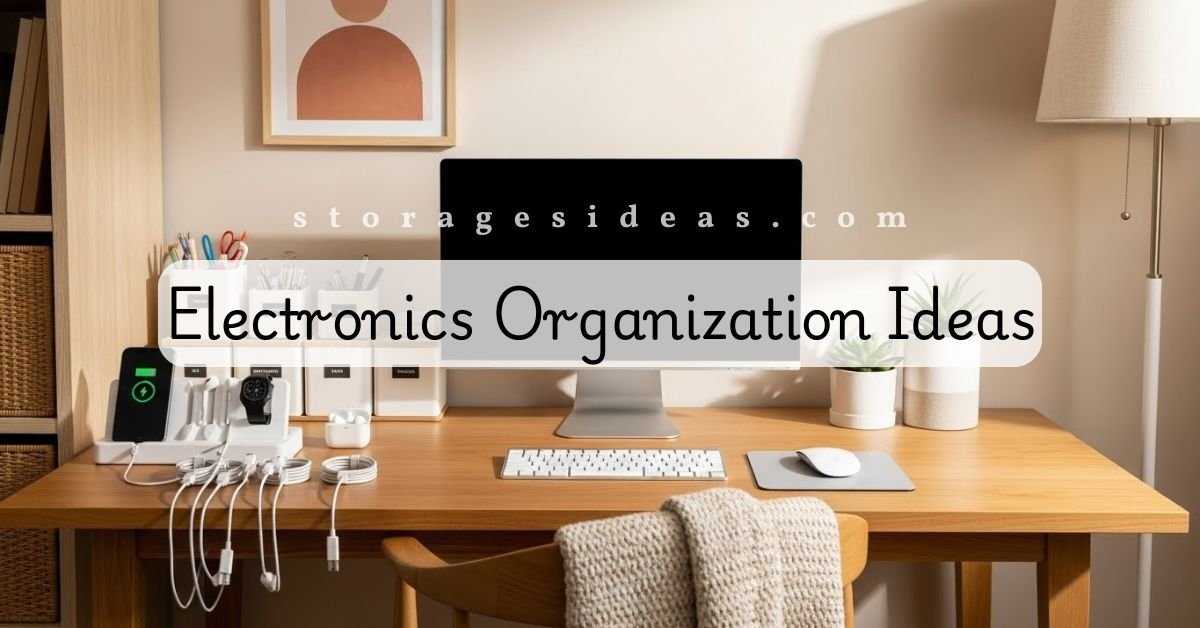
For years, my electronics lived where they wanted. A tablet under the couch. A charger is behind the nightstand. A game controller is hiding in the pantry for reasons I still can’t explain. My “tech drawer” was less of a drawer and more of an archaeological dig site. Every time I opened it, I discovered a new species of tangled cable.
At one point, I realized I was spending more time searching for devices than using them. That’s when I made a choice: my gadgets needed structure, and my home needed sanity. I wanted a setup that didn’t collapse the moment life got busy. I needed systems that made sense on ordinary days, not just on those rare Saturdays when I was willing to organize everything.
This guide shares the system I built from scratch and eventually perfected. It isn’t just a list of simple tips; it’s a detailed walkthrough of how I keep my electronics controlled, easy to find, and ready to use. If you’re looking for strong electronics organization ideas, this is the long, practical breakdown I wish I had years ago.
OFF
today
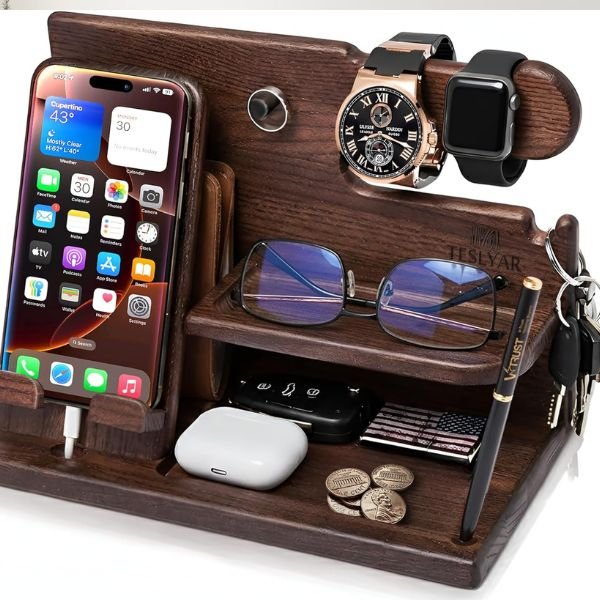
TESLYAR Wood Phone Docking Station for Men
Phone, watch, wallet, keys & glasses — one beautiful wooden stand that clears the nightstand chaos.
- Holds everything — phone, watch, wallet, keys, glasses & AirPods
- Solid handcrafted wood — looks like a $100+ gift, priced under $35
- Perfect gift for him — husband, dad or boyfriend, ships ready to give
- Fits all smartphones & smartwatches including iPhone & Samsung
How I Realized My Electronics Were Running the Show
It started with a missing cable. Just one. I searched for half an hour, opened every drawer, checked my couch cushions, and even looked inside my car. When I finally found it wrapped around a hairbrush in the bathroom, I knew something had to change.
I didn’t lack storage. I lacked systems.
Some devices lived in drawers, others in baskets, and many lived wherever I last used them. I had chargers in five different rooms thanks to “temporary placement.” I also had cables from devices that no longer existed, a type of tech nostalgia that wasn’t helping anybody.
The moment I started treating electronics like actual categories instead of random objects, my home became instantly calmer.
Step One: Clearing Out Devices I Don’t Use
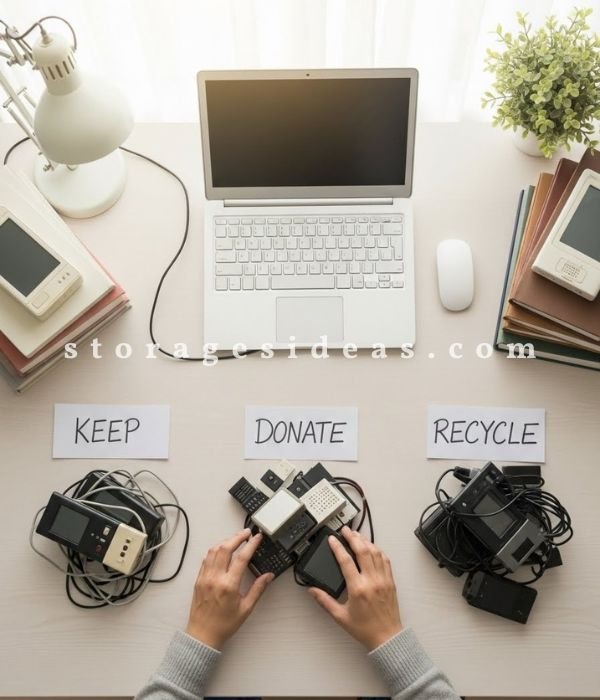
Before I could organize anything, I had to face the mountain of tech that quietly collected over the years. I found chargers from phones I owned a decade ago, earbuds that worked only in one ear, and a power bank that weighed more than my laptop.
Instead of sorting while keeping everything, I used a reality-based approach. I placed every device and cable on a table and asked myself three questions:
Do I still use it?
Does it still work?
Does it have a purpose in my current setup?
If it failed any of those questions, it left my home. I recycled broken items and passed working devices to people who needed them.
This step did something unexpected: it energized the whole process. Fewer items meant fewer storage decisions, fewer cable bundles, and fewer future headaches. Even if someone follows none of my other advice, this step alone makes a massive difference.
If you have devices that no longer work, you can recycle them safely using guidance from the EPA’s electronics recycling program.
Step Two: Creating Zones Instead of Random Storage
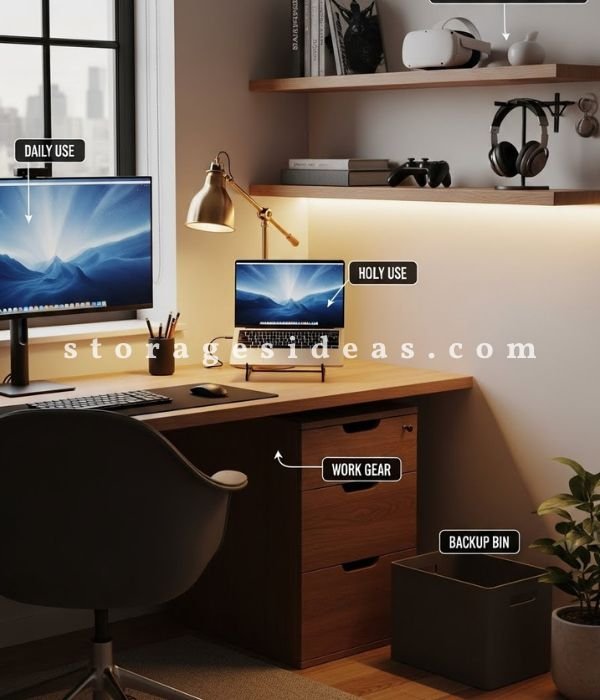
Before this system, I thought bins and baskets were enough. But putting everything into containers doesn’t fix the chaos; it only hides it temporarily. What actually solved my problem was assigning zones based on how I use my devices.
Here’s how I built my zones and why they work so well:
The Daily Zone
This holds the things I use constantly: my phone, tablet, main chargers, earbuds, smartwatch bands, and laptop cord. I keep these close to my desk because I reach for them throughout the day. This prevents items from spreading across the house.
If you’re working with limited desk space, creative corner storage ideas can help expand your setup.
The Work Zone
This includes everything I use for projects: my camera gear, lighting tools, microphones, tripods, cables for recording, external storage, and backup batteries. These items were used to mix with gaming accessories, and I’d lose pieces right when I needed them most. Keeping them isolated saved my time and my patience.
The Entertainment Zone
I store controllers, remotes, console cables, streaming devices, and game discs (yes, I still own some). This spot sits near the TV, so everything stays within reach and nothing wanders.
If you want to upgrade this area, take a look at media console organization for ideas that fit perfectly with this section.
The Backup Zone
This zone is like a pantry for tech. It holds spare adapters, long cables, backup chargers, seasonal items, and rarely used gadgets. Every time I need something unusual, I check this zone before buying anything new.
The Small Parts Zone
Small tech pieces have a talent for disappearing into alternate dimensions. Having one dedicated place for adapters, memory cards, tiny cables, and mounts stopped me from losing these miniature troublemakers.
Zones don’t sound exciting, but they’re the backbone of my system. Once I created them, every storage decision became obvious.
Step Three: My Charging Station That Prevents Chaos
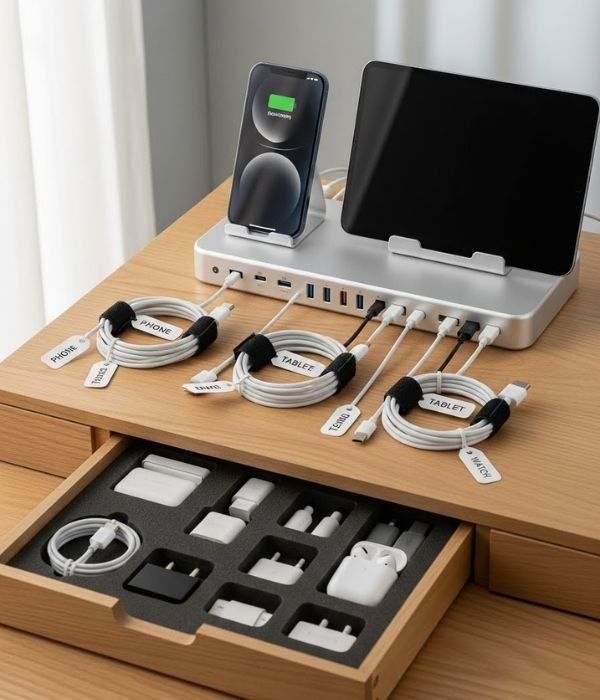
Before organizing, my chargers lived across the house like wandering pets. I’d plug something in the kitchen, charge my phone in the bedroom, charge a power bank in the car… It made no sense.
A charging station fixed everything at once.
My station includes:
A multi-port charging hub
A stand for my phone and tablet
A place to rest power banks
A drawer for small charging accessories
A limited number of daily-use cords
Every device goes here at night. Not scattered. Not lost. Not competing for the one outlet that actually works.
This also prevents overbuying. When all my chargers sit in one location, I immediately see what I own and what I don’t.
Step Four: Cable Management That Actually Works Long-Term
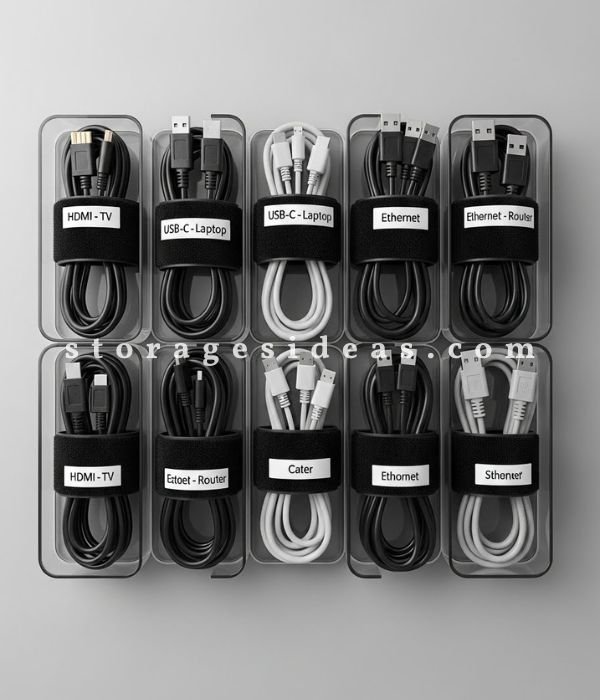
If electronics cause stress, cables cause chaos. They tangle, they vanish, and they multiply when I’m not watching. After years of failed attempts, I finally found a method that stays neat without effort.
Here’s how I manage every cable I own:
Labels
I label both ends of each cable with simple tags. No squinting. No guessing.
Categories
I sort cables into groups: charging, display, audio, data, and device-specific wires. This way, I never dig through unrelated items.
Velcro Straps
These changed everything. Plastic ties are a trap because I never want to cut them. Velcro makes every cable easy to open and close.
Standing Storage
Storing cables upright instead of flat keeps them separated and visible. This also prevents them from tangling in one big clump.
Backup Separation
I keep my daily-use cables apart from my long-term backups. This prevents one drawer from overflowing with cords I rarely touch.
When I sort tiny adapters and connectors, I use methods similar to organizing small items.
This technique has kept my cables controlled for months at a time, a miracle in my world.
Step Five: The Storage Types That Work Best for Electronics
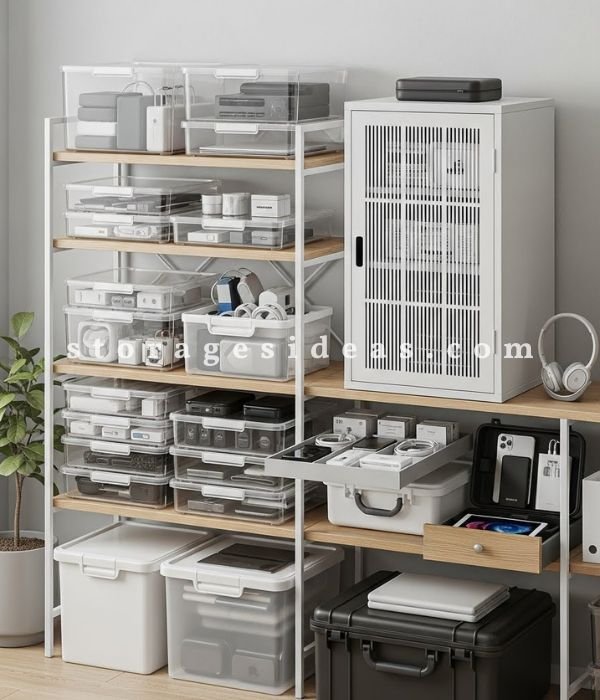
I learned the hard way that not all storage suits electronics. Tech needs airflow, padding, clear visibility, and sometimes extra protection. I tested dozens of setups until I found a mix that actually works.
Here’s what I rely on:
Drawer Inserts
Perfect for remotes, charging blocks, batteries, portable drives, and cords. They stop small things from sliding around.
Clear Bins
I keep these for items I don’t grab daily: gaming gear, smart home accessories, extra adapters, and older devices I still use occasionally. Seeing inside the bins helps me find things fast.
Hard-Shell Cases
Cameras, microphones, compact drones, and delicate tools all live in these. They protect against dust and bumps.
Under-Bed Containers
Great for storing backup keyboards, old laptops I still need to access, and extra tech I rotate out during the year.
Small Cabinet With Ventilation
My entertainment items stay inside one cabinet with doors that allow airflow. Devices stay protected but accessible.
I also keep one empty bin as a “holding zone” for new purchases. This stops new items from floating around until I assign them a permanent home.
Step Six: Transforming the Disaster Behind My TV
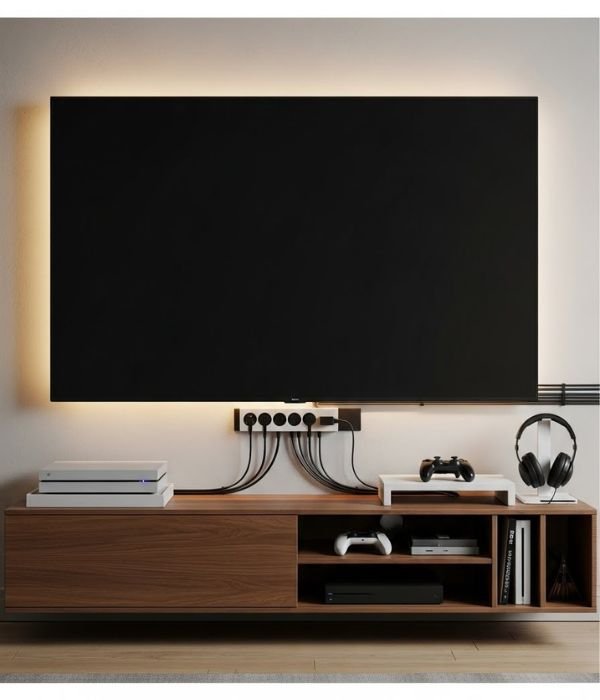
Before this system, the space behind my TV looked like someone dropped a bowl of spaghetti. Cords everywhere, power strips stacked, random devices hanging off shelves, it was a mess.
Now the area looks controlled and almost stylish.
Here’s what I changed:
I mounted a power strip on the wall so cords don’t pool on the floor.
I added slim cable channels that guide every wire neatly.
I created a tray for remotes and controllers.
I placed gaming accessories in a labeled container.
I left open airflow around the router so it doesn’t overheat.
This setup not only looks better but also makes cleaning easier. No more dust webs wrapped around cable knots.
Step Seven: Keeping Work Gear Away From Personal Tech

Mixing work tools with home electronics used to create confusion. I’d reach for a microphone cable and grab a TV cord instead. Or I’d lose a battery because it slipped into a drawer full of chargers.
Separating these categories made life smoother.
My work items now live in one cabinet with dedicated drawers. Larger tools stay in cases. Smaller gear lives in neatly divided containers. This speeds up my workflow and keeps my personal tech uncluttered.
Step Eight: A System for the Tiny Things That Love Disappearing
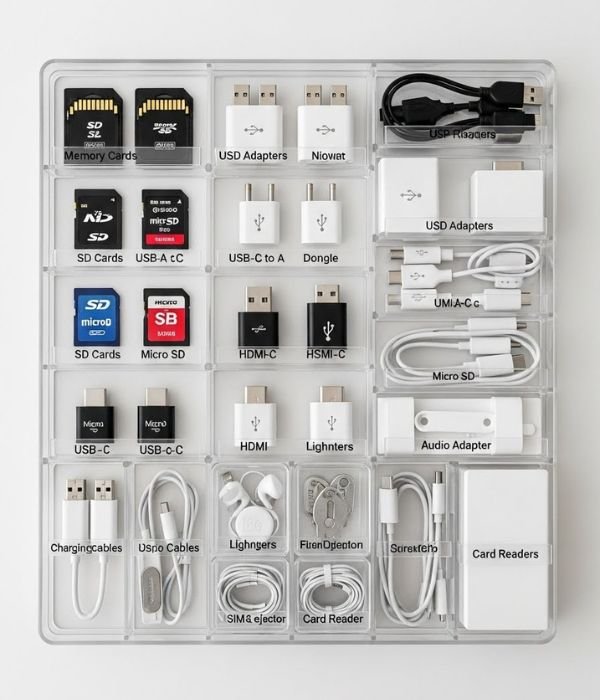
Small tech pieces hold more power than we give them credit for. Lose the wrong adapter, and an entire setup stops working.
I keep these items under control with:
Divided drawer trays
Small zipper pouches
Stackable mini containers
Labels that explain exactly what each tiny thing does
Now I don’t panic every time I need a memory card or a small adapter.
Step Nine: Using Vertical Space to Free Up My Desk
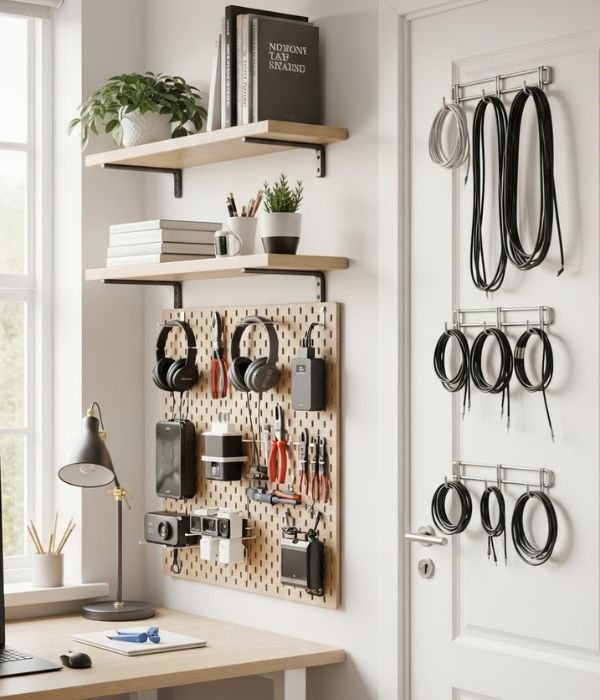
For years, I ignored my walls. Once I realized how much space they offered, everything changed.
I added a pegboard for headphones, controllers, and small gear.
I mounted floating shelves for speakers and hubs.
I installed slim racks for tablets and notebooks.
I placed hooks behind doors to hold lightweight cords.
Vertical storage doesn’t just clean up my desk. It makes the whole room feel larger and more organized.
Step Ten: Monthly Upkeep That Takes Almost No Time
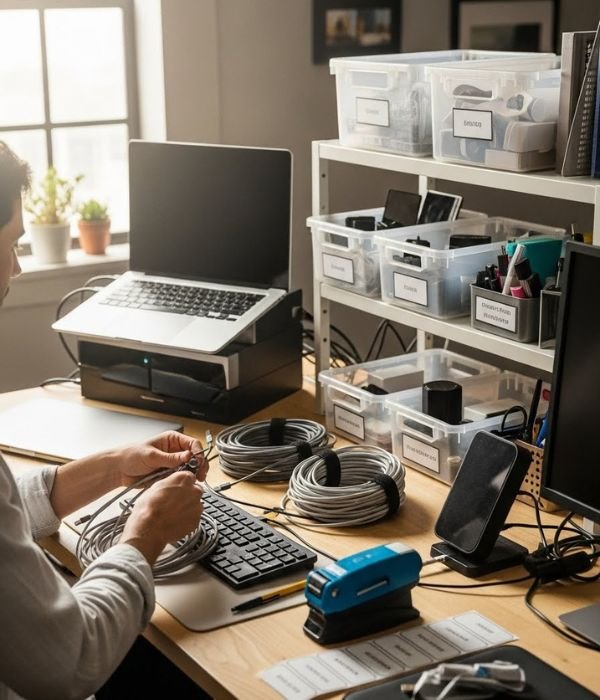
The reason my setup lasts is that I maintain it with a simple monthly reset. I’m not talking about a huge cleanup. Just a 10-minute check-up:
I return items to their zones.
I remove damaged items.
I rewrap loose cables.
I refresh labels when needed.
I test chargers and swap out weak ones.
This prevents clutter from sneaking back in.
Extra Strategies That Most People Never Think About
Here are additional ideas that improved my system even further:
A charging drawer with a hidden hub
Digital manuals stored in a cloud folder
QR code labels for quick access to instructions
A “loan basket” for items friends borrow
A small emergency tech kit for travel
Color-coded Velcro wraps for sorting cables
A spare “shopping box” where I keep receipts and packaging for new devices
These tricks reduce stress and make tech life smoother.
How My Home Feels Now
My home feels lighter, cleaner, and easier to move through. I don’t waste time searching for cables. I don’t buy unnecessary replacements. I don’t feel embarrassed if someone opens a drawer. The biggest change is mental; everything feels clearer.
My electronics finally support my life instead of cluttering it.
FAQs
1. What’s the first thing I should organize if my tech feels chaotic?
Start with cables. They create the most frustration and usually connect to every device. Once they’re sorted, everything else becomes easier.
2. How often should I reorganize my electronics?
I do a quick reset monthly, and a deeper sort every six months. It keeps small problems from growing.
3. How do I store devices I rarely use?
Use clear bins with labels. Keep them in a backup zone so they’re out of the way but easy to find.
4. Should I keep old chargers?
Only if they match devices you still own. Otherwise, recycle them. Random chargers create clutter fast.
5. What’s the best way to label cables?
Use simple tags or colored Velcro wraps. Label both ends so you can identify cables even when they’re plugged in.
6. Where should I put my router for better organization?
Give it open airflow and keep it off the floor. A shelf near the TV area works well.
7. My tech drawer keeps getting messy. What should I change?
Break it into sections with dividers. A drawer with structure stays neat far longer.
8. Do I need fancy organizers to stay organized?
No. Consistent zones and simple containers work better than complicated storage systems.
